Embedding a Group on a Webpage
Embedding your DailyPB Group page makes it easy for players to see your sessions directly on your own website.
How to embed your Group page
How do I embed my group on my website? How do I add my DailyPB schedule to my site? How do I get the embed code? How do I put my sessions on my own webpage? Where is the Embed button? How do I show my group calendar on WordPress / Squarespace / Wix?
1 Open Groups in your host console
Go to dailypb.com/host (make sure you're logged in) and click Groups in the left menu.
2 Select the group, then click Embed
With your group selected, click the Embed button in the action row (next to View / Edit / New Group).
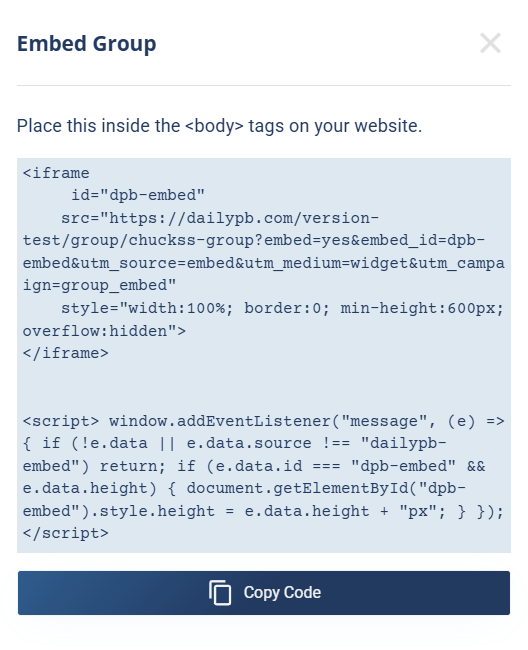
The Embed Group window provides a copy-paste code snippet (your own code will show your group's address).
3 Copy the embed code
A popup appears with the embed code (an HTML <iframe> plus a small <script>). Click Copy Code to copy it to your clipboard. Always copy the real code from your own popup rather than retyping it, since it contains your group's unique address.
4 Paste it into your website
Open your website editor (WordPress, Squarespace, Wix, etc.), edit the page where you want the schedule, switch to the HTML / Code editor view, paste the code inside the page's <body>, and save or publish.
5 Test the embed
Visit your page, and your DailyPB Group schedule now displays live. The DailyPB header and your group's main image are hidden in the embed, and clicking a session opens it in a popup on your group page on DailyPB.com.
The embed is responsive and resizes to fit your content, and partner websites can embed your group page too to help promote your sessions.
More in Groups