Basic Venue Info
A venue page is the public home for a pickleball court on DailyPB. It shows everything happening at that court in one place: the schedule of sessions, who runs it, any closures or announcements, directions, reviews, and a one-click way to create a session there. Anyone can view it, whether or not they have an account.
On the page, most section headings start with the venue's name, so you'll see headings like "Bushrod Park Information" or "Courts Near Bushrod Park." Below we refer to each section by its short name.
Jump to:
- The venue header
- Closures, announcements, and admins
- Groups that play here
- The action buttons
- Create a session at this venue
- The schedule: list and calendar views
- Nearby events you might like
- Directions
- Venue information
- Community links
- Videos about the courts
- Reviews
- Nearby courts
For how a venue admin edits all of this, see Managing Your Venue.
The venue header
What is a venue page? What does a pickleball court page show? How do I see info about a court? How many courts does a venue have? Who runs this venue? How do I switch to a different venue? What do the venue stars mean? Where are the venue reviews? How do I see how busy a venue is?
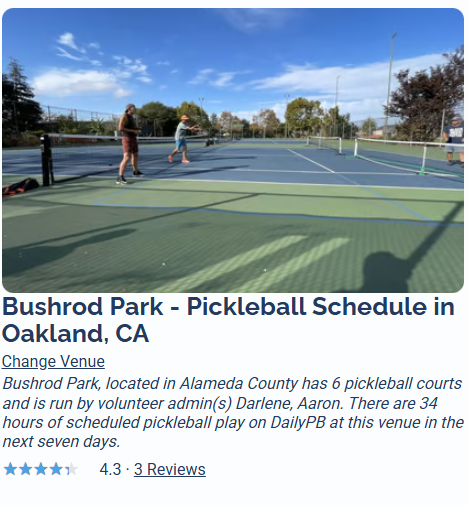
At the top of the page is the venue's photo and its title, which reads the venue's name followed by Pickleball Schedule in the city and state.
Just under the title:
- Change Venue is a quick way to jump to a different venue. Click it and the venue finder opens so you can search for and switch to another court.
- A short blurb describes the venue: the county it's in, how many pickleball courts it has, who runs it (its volunteer admins), and how many hours of scheduled play are booked on DailyPB at this venue over the next seven days.
- If the venue has any reviews, a star rating and review count show here. Click them to jump down to the review section.
Closures, announcements, and admins
How do I know if a court is closed? Where do I see a court closure? What is a Court Closure Notice? Where are venue announcements? How do I contact the people who run a venue? How do I message a venue admin? Who do I talk to about a court? How do I report a problem at a venue?
Below the header you'll see, in order, anything the venue's admins want you to know.
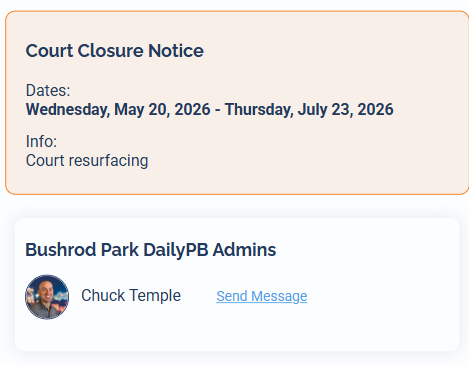
- Court Closure Notice. If the venue is closed for a stretch of time, a notice shows the closure dates and the info explaining why, such as resurfacing or an event.
- Announcements. Shorter notices from the venue's admins, like a lost-and-found item or a parking change, appear here.
- DailyPB Admins. This lists the people who run the venue, each with their name and photo. Click Send Message next to an admin to email them directly from within the app.
Groups that play here
What groups play at this venue? Which clubs use this court? How do I find a group at a venue? Where do I see groups linked to a venue? What groups host here?
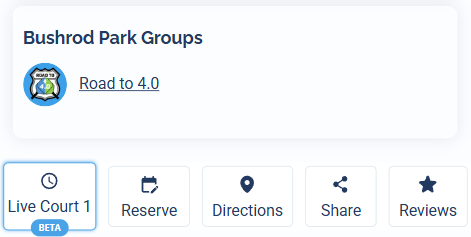
The Groups section lists any public groups whose home venue is set to this court. Click a group to open its group page. This is a quick way to find the communities that play here.
The action buttons
What are the buttons on a venue page? How do I get directions to a court? How do I share a venue page? How do I reserve a court? Where is the court reservation link? How do I leave a review for a venue? How do I copy a venue link? Where is the directions button?
A row of buttons gives you the main things you'll want to do. Some only appear when the venue has them set up, so you may see fewer than are listed here:
- Reserve appears only when the venue has a reservation link set. It takes you straight to where you book this specific court.
- Directions opens directions to the venue in Google Maps.
- Share copies the venue page's link to your clipboard so you can paste it anywhere.
- Reviews jumps to the review section, where you can read and leave a review.
- Live Court 1 (marked Beta) opens a live court-availability checker for the venue. It only appears on venues that have it set up. See below for what it does.
Live court availability
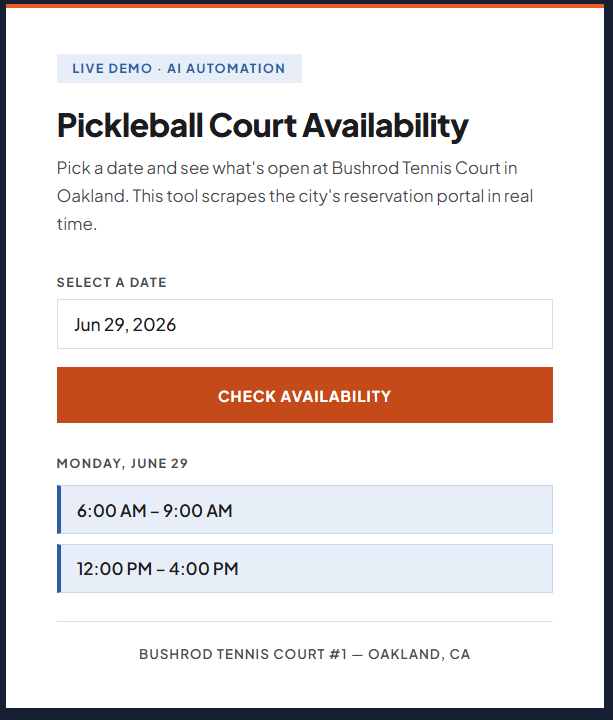
The Live Court 1 button opens a tool that shows what's open at the venue in real time. Pick a date, click Check Availability, and within a few seconds it returns the open time blocks for that day, for example 6:00 AM to 9:00 AM or 12:00 PM to 4:00 PM. It works by scraping the city's reservation portal so you don't have to dig through it yourself.
Create a session at this venue
How do I create a session at this venue? How do I host an event at this court? How do I create an event with the venue already filled in? Can I quickly schedule play at a venue? How do I add a session to a court?
The Create Event Here button lets anyone quickly create a session with this venue already filled in. Click it and you're taken into the create-a-session flow with the venue field pre-set to this court, so you can schedule play here in a few clicks.

The schedule: list and calendar views
Where do I see a venue's schedule? What's happening at this court today? How do I see upcoming sessions at a venue? How do I switch to a calendar view? Can I see a court's schedule by month or week? Why is a session grayed out? How do I filter venue sessions by date? Where is the list view? Where is the calendar view?
A List / Calendar toggle at the top lets you view the venue's schedule two ways.
List view
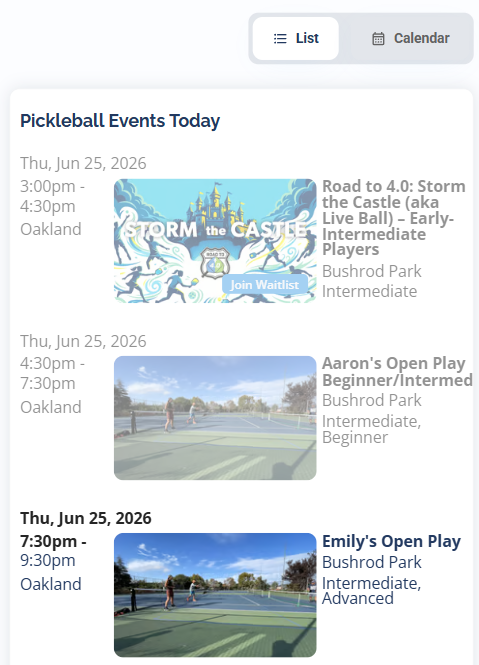
In List view, Pickleball Events Today shows what's on at the court today. Each row shows the date, time, and city, with the session's image, name, group, and skill level. A session that has already ended is grayed out; sessions that are ongoing or still upcoming show in full color.
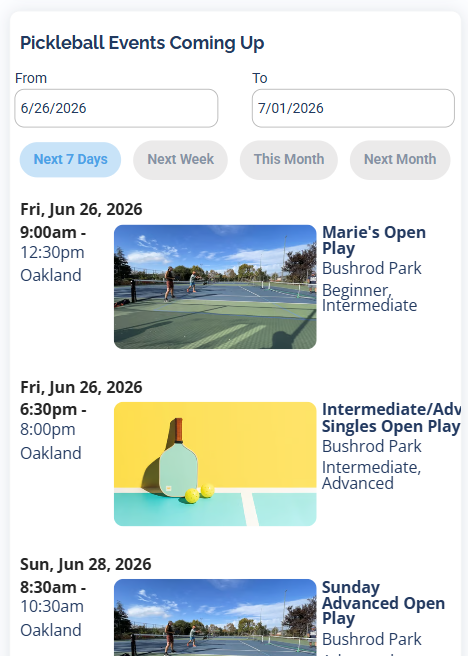
Below today's sessions, Pickleball Events Coming Up lets you look ahead. It defaults to starting the next day and gives you a From and To date, plus quick presets for Next 7 Days, Next Week, This Month, and Next Month. Set any date range to see the full list of sessions at this venue for that span.
Calendar view
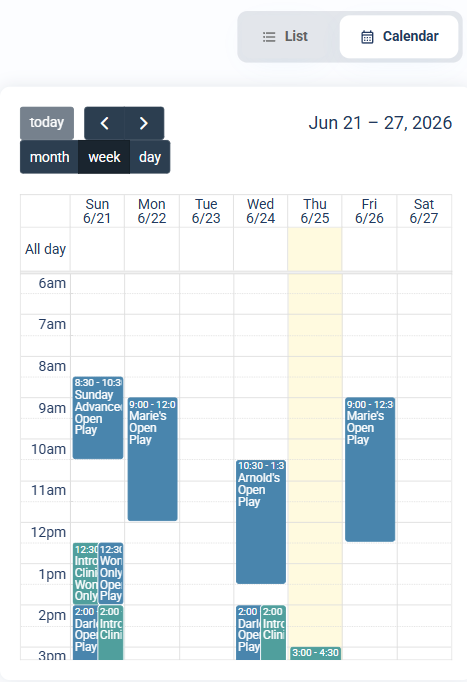
Switch to Calendar view to see the same sessions laid out on a calendar, with month, week, and day views. Use the today button and the arrows to move through time and pick whatever month, week, or day you want.
Nearby events you might like
What sessions can I sign up for at this venue? How do I find pickleball I can join at this court? What else can I play nearby? Are there other events nearby? How do I find similar sessions at other venues? What can I sign up for here?
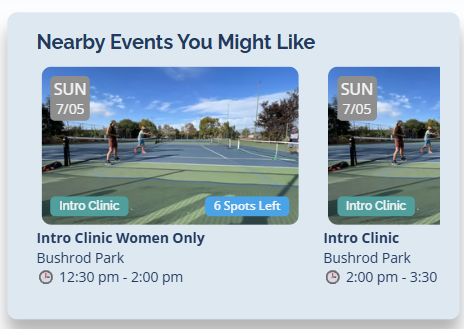
Just below the schedule, Nearby Events You Might Like shows sessions you can sign up for, displayed as cards with the date, session type, spots left, name, venue, and time. It leans on play at this venue first; if there's nothing coming up here, it shows sessions you can join at other nearby venues instead. Click any card to open that session.
Directions
How do I get to this venue? What's the address of this court? How do I find directions to a venue? Is there a map of the court? Can I see a satellite view of the venue? Where is this pickleball court? How do I open the venue in Google Maps?
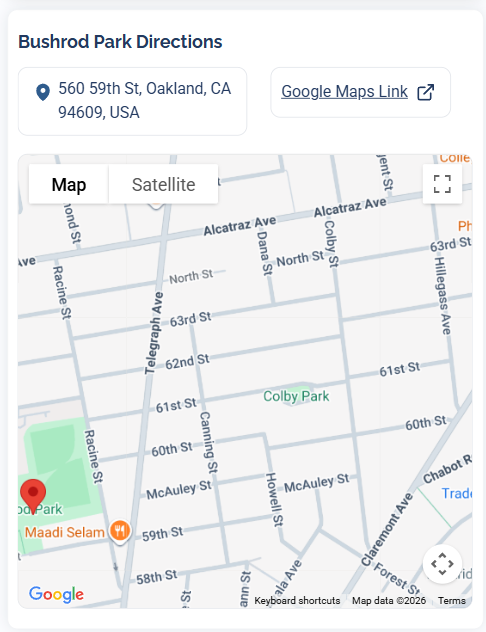
The Directions section shows the venue's full address and a Google Maps Link button that opens it in Google Maps. Below that is an embedded, interactive Google Map you can pan and zoom right on the page, with Map and Satellite views so you can scope out the courts before you go.
Venue information
How many courts does this venue have? How do I reserve a court at this venue? Is there a reservation link for this court? Where do I book this court? Are there notes about parking or access? What should I know before playing here? Where is the court reservation link?
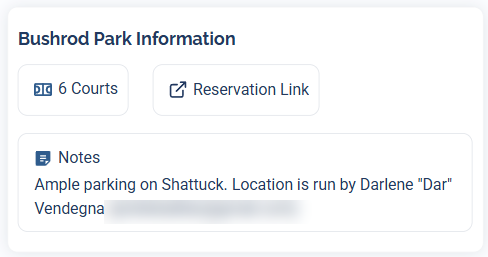
The Information section is the quick-facts panel for the venue:
- Number of courts at the venue.
- A Reservation Link button, when the venue has one set, taking you to where you book this specific court.
- Notes from the venue's admins, like parking tips, access details, or who to contact.
Community links
Does this venue have a Facebook group? How do I join the WhatsApp group for this court? Where are the social links for a venue? How do I connect with the community at this venue? Is there a group chat for this court?
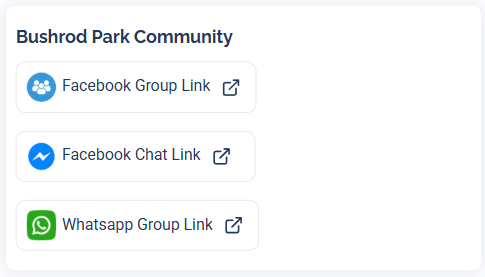
If the venue's admins have added them, the Community section links out to the venue's community channels, like a Facebook Group, Facebook Chat, or Whatsapp Group. A venue can have any number of these, so you might find a WhatsApp group for the court, a Facebook group, or whatever else its admins use to keep players connected.
Videos about the courts
Is there a video of this venue? Can I see a video tour of the court? Does this venue have a YouTube video? What do the courts look like? Where can I watch a video about this pickleball court?
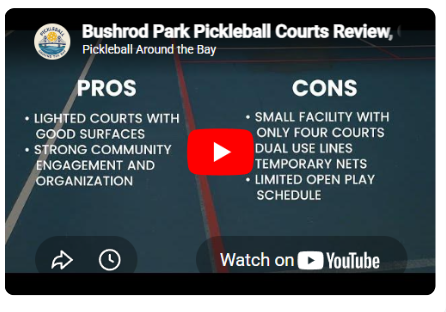
At the bottom, if a venue admin has added one, you'll find an embedded YouTube video about the courts that plays right on the page, a handy way to see what the venue is like before you visit.
Reviews
How do I leave a review for a venue? How do I review a pickleball court? Where are the reviews for this venue? How do I rate a court? Can I edit my review? How do I change a review I left? How do I see what people say about this venue? How are reviews sorted?
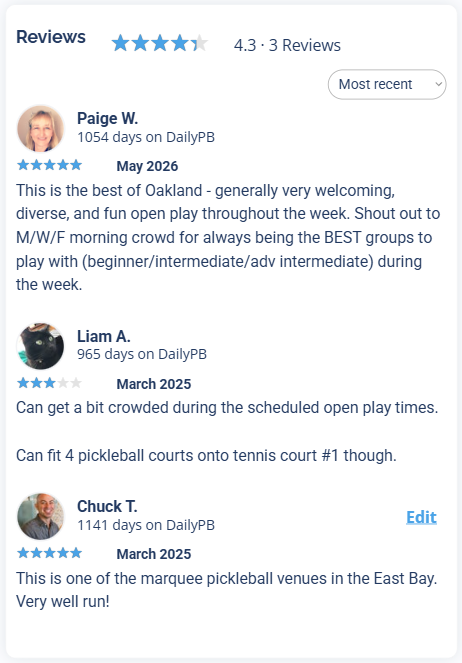
The Reviews section shows the venue's overall star rating and review count at the top, then the reviews themselves, most recent first. Each one shows the reviewer's name and photo, how long they've been on DailyPB, their star rating, the date, and their comments.
You can add your own review to share what you think of the courts, and if you've already left one, an Edit link lets you update it.
Nearby courts
What other courts are near this venue? Where else can I play pickleball nearby? How do I find another court close by? What pickleball venues are near here? How do I jump to a nearby court?
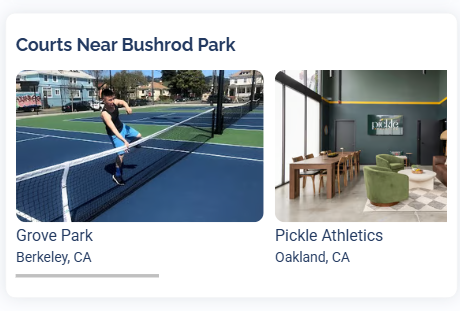
At the very bottom, the Courts Near section shows other pickleball courts close by, each as a card with a photo, name, and city. Scroll left and right through them and click any one to jump straight to that venue's page.
More in Venues