How DailyPB Advertises Your Event
Every event you add to DailyPB is instantly visible to the players who check the schedule each day. Events with signups get an extra boost, promoted across the platform and via social media to nearly 100,000 local views each month, all for free.
Everything in this guide applies to sessions that use DailyPB signups. Sessions with signups disabled get far less promotion (see the table below).
Jump to:
- Where your sessions are advertised
- On the DailyPB website
- By email
- On social media
- Post your event yourself
Where your sessions are advertised
Where does DailyPB advertise my event? How does DailyPB promote my session? What free promotion do I get? Where will my session show up? Does DailyPB market my events? What do I get for using signups? Where does my event appear?
Here's a summary of where your sessions appear. See the sections below for details on each.
| Where | Section | With signups enabled | With signups disabled |
|---|---|---|---|
| DailyPB | Featured Sessions | Yes | No |
| DailyPB | Highlight above schedule | Yes | No |
| DailyPB | Main schedule | Yes | Yes |
| DailyPB | Signup section | Yes | No |
| DailyPB | Other Events From You | Yes | No |
| DailyPB | Venue schedule | Yes | Yes |
| DailyPB | Nearby Events You Might Like | Yes | No |
| Weekly Court Report (Tue 9 AM PT) | Yes | No | |
| East Bay list-serves (Fri) | Yes | No | |
| East Bay groups (Mon) | Yes | No | |
| East Bay group (Mon) | Yes | No |
On the DailyPB website
Where on the DailyPB website does my event show? What is Featured Sessions? Where do paid sessions appear on the schedule? How do I get featured on DailyPB? What is the signup section? Where do my other events show up?
The DailyPB website gets roughly 15,000–18,000 views per month (as of September 2025).
Featured Sessions displays paid ads first, followed by available public sessions with open spots, sorted by date (up to 14 days out) within the user's area. On mobile, the first session appears initially, with more available by scrolling right.
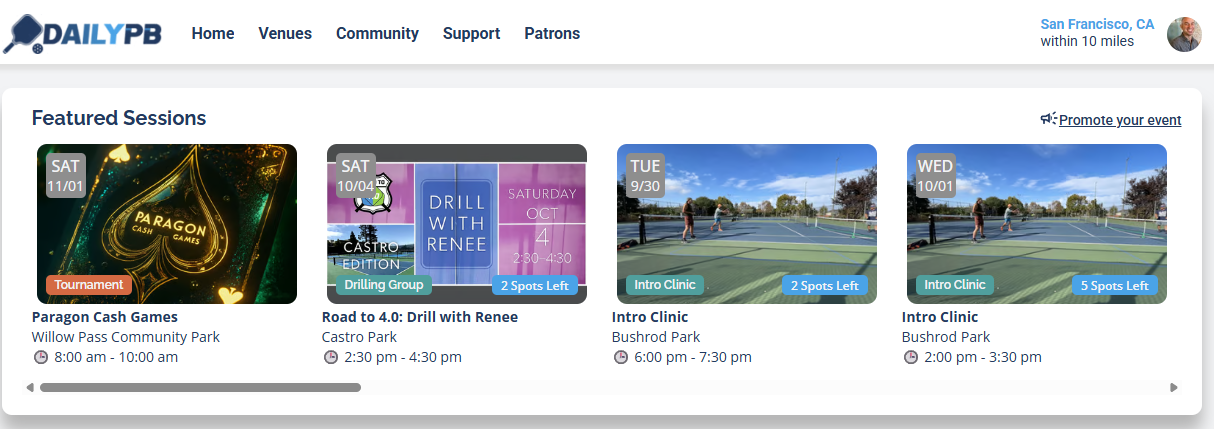
Featured Sessions at the top of the main schedule.
Daily Schedule is the most-viewed section. It shows the day's schedule, with public sessions offering signups highlighted at the top.
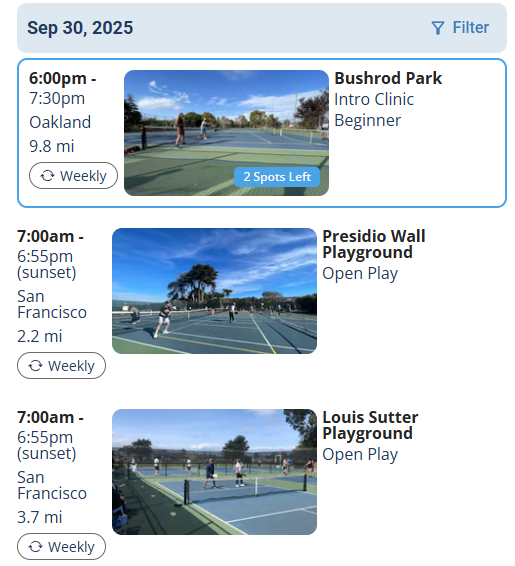
Your session, highlighted in the day's schedule.
Signup Section, reached from a main button or a social media link, lists all public sessions with signups enabled in the user's preferred area.
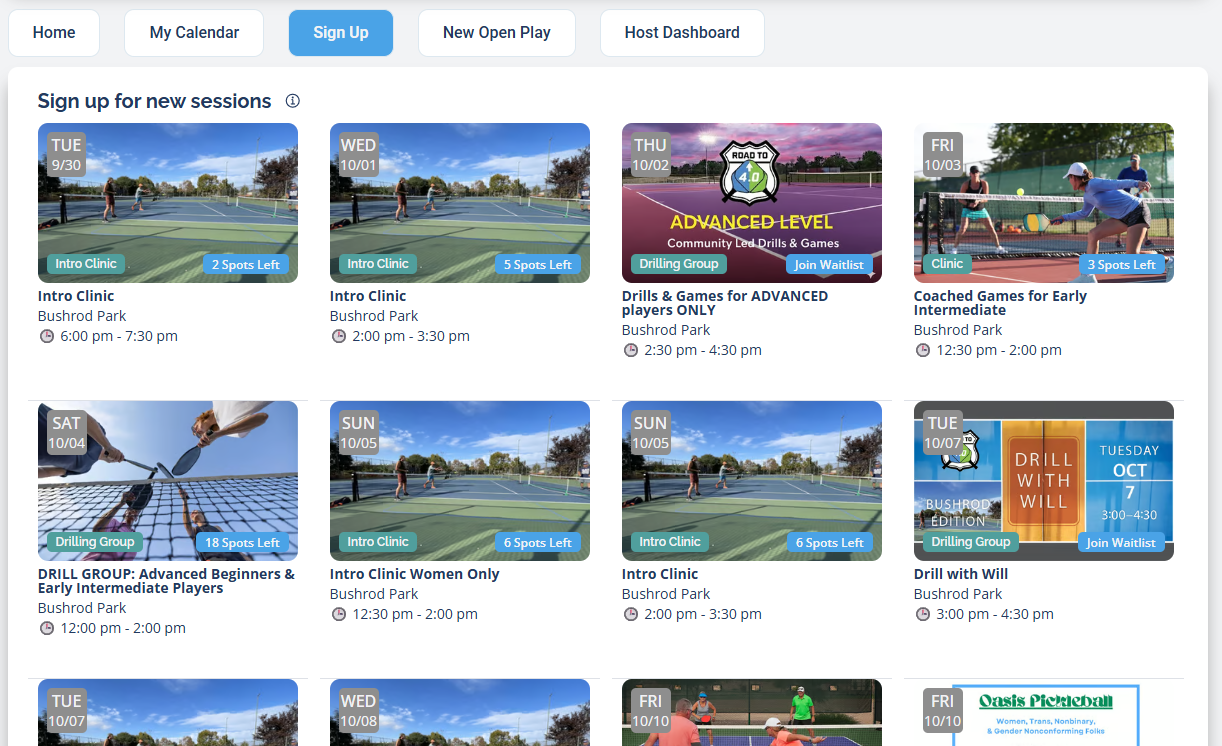
The dedicated signup section.
Other Events From You: at the bottom of each session page, visitors see your next 8 public sessions with open spots so they can quickly sign up for more.
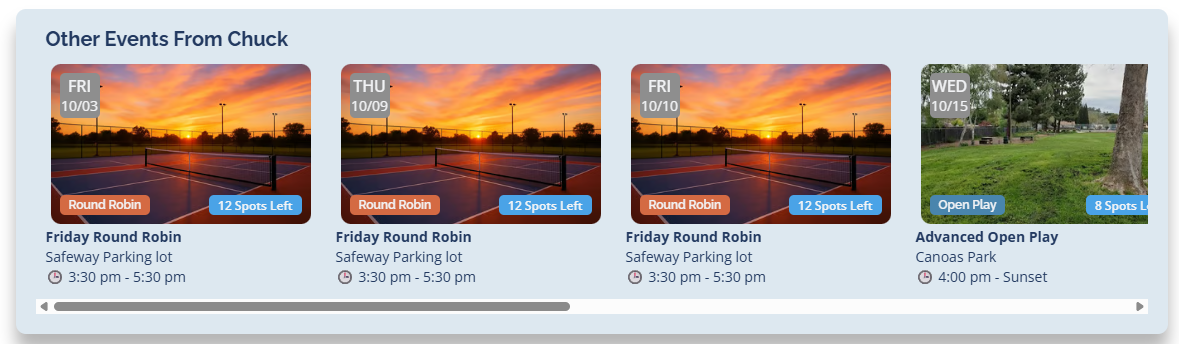
Your other upcoming sessions, shown on each session page.
Nearby Events You Might Like: below the main schedule on a venue page, this section lists sessions with signups at that venue first, then sessions within 15 miles.
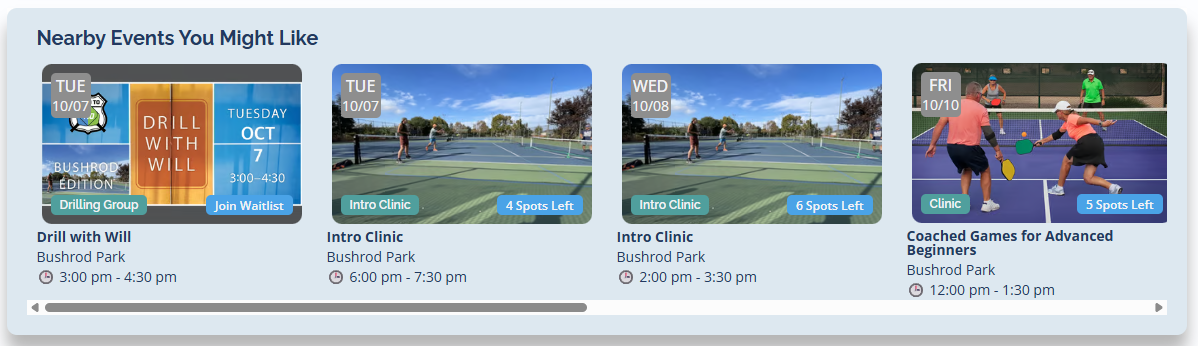
Nearby events promoted on the venue page.
By email
Does DailyPB email my event? What is the Weekly Court Report? When does the Weekly Court Report go out? What day does the Court Report send? How does my session get into the email? What is the email list-serve? When do the list-serve posts go out? Does DailyPB send my event to a mailing list? Which email groups does DailyPB post to?
Roughly 25,000 emails are sent per month (as of September 2025).
Weekly Court Report is emailed every Tuesday at 9 AM PT to everyone who hasn't disabled it. Each report is personalized by location and may include:
- Venue announcements (e.g., court closures)
- Promoted sessions within 50 miles
- Public sessions with open spots in the next 8 days
- New open play opportunities
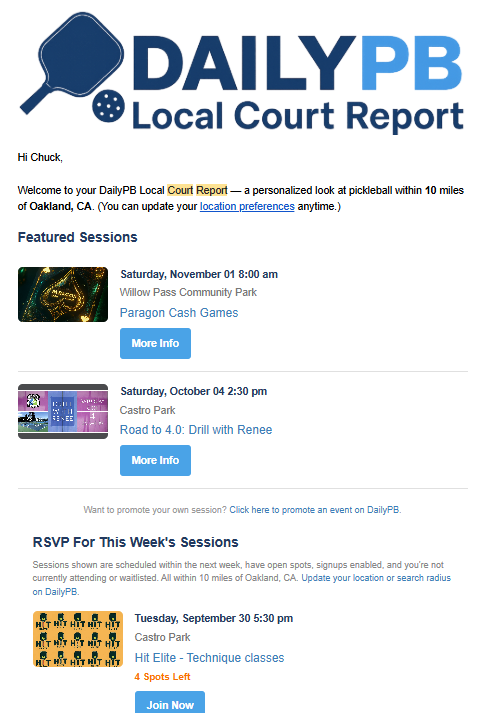
The Weekly Court Report email.
Email list-serves: on Fridays, DailyPB posts a curated weekly marketing post (with session imagery and links) to two local Google Groups:
- ABC Pickleball
- Oakland Pickleball
The list-serve posts go to East Bay groups only. If you'd like your area included, message Chuck at chuck@dailypb.com.
On social media
Does DailyPB post my event on Facebook? Does DailyPB share my session on WhatsApp? What social media does DailyPB post to? What day does DailyPB post to Facebook and WhatsApp? How do I get my event in the social posts? Which Facebook groups does DailyPB post to? Can I add my local group to the list? Are the social posts East Bay only? How do I get my area added to the posts?
Social posts reach roughly 14,000 users weekly (as of September 2025).
On Mondays, DailyPB posts a weekly digest to its East Bay social channels, featuring a short roundup of public sessions with fewer than 3 on the waitlist, limited to 3 sessions per host.
Facebook Groups:
WhatsApp Group:
These social posts go to East Bay groups only. If you'd like your area's Facebook group, WhatsApp group, or email list-serve included in these posts, message Chuck at chuck@dailypb.com.
Post your event yourself
Can I promote my own event? How do I get more reach for my session? Should I post my own event? How do I advertise my session myself? Why aren't my events in the auto-posts? How do I promote beyond DailyPB's posts?
The auto-posts above run once a week and only include sessions that meet the criteria above (fewer than 3 on the waitlist, max 3 per host). To get more reach, post in those same groups yourself anytime. Personal posts from the host convert better, since they're personal, can be tailored to the event, and aren't capped at once a week.
Drop in, share your DailyPB signup link, and say what makes your event different.
More in Marketing