Email a User
You can reach out to another player on DailyPB through their profile. They'll get an email with your message and can reply to you directly.
How to message a player
How do I message another player? How do I email a user on DailyPB? How do I contact a player? How do I reach someone on DailyPB? Where is the message button? Can I email another player? How do I get in touch with a player?
1 Open the player's profile
Click a player's name or profile photo anywhere you see it, for example in a session's attendee list (open View Attendees on a session). Their profile opens.
2 Click the message button
On their profile, click the Message button with their name on it (for example, Message Cookie). A New Message To: window opens.
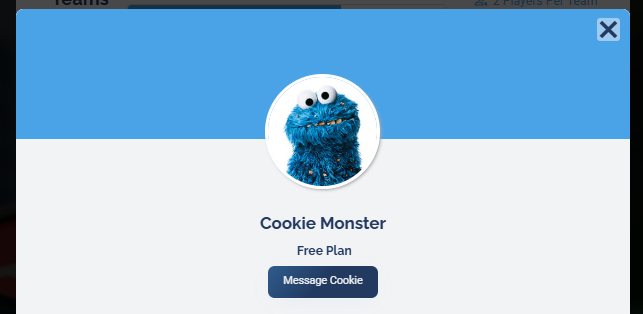
Click the Message button on the player's profile.
3 Write your message and send
If you're logged in, your name and email are filled in automatically. Type your message, then click Send Message.
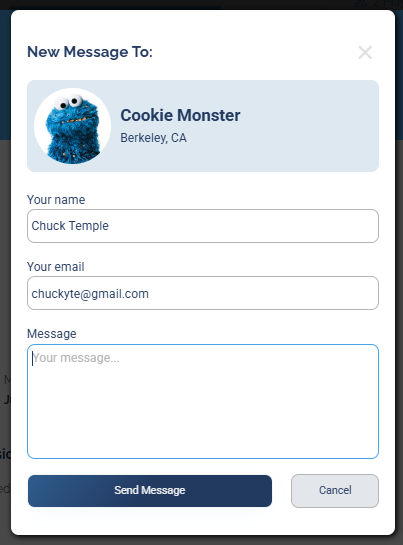
Write your message and click Send Message. You never see the recipient's email address.
You message the player through DailyPB, so you never see their email address. They receive your message by email and can reply to you directly.
What happens next
What happens after I send a message? Does the player get my email? How does the player reply to me? Will they see my email address? Does my message go to their email? Do I see the other player's email address? Is the recipient's email hidden? Can I see a player's email when I message them?
The recipient gets an email containing your name, your email address, and your message. They can reply directly to your email to continue the conversation.