Player History
As a host, you can view the session history of any player who has previously signed up for one of your sessions.
How to view a player's session history
How do I see a player's history? How do I view a player's past sessions? How do I check what sessions someone attended? Where is player history? How do I see a player's session record? Can I see which of my sessions a player came to?
1 Open the player's profile
From the Signups list (click View Attendees on a session), click a player's name or photo to open their profile.
2 Click View Session History
In the Ratings & Sessions area, click View Session History.

The View Session History link in a player's profile.
You'll see a popup listing every session that player attended where you were the host. It shows the total count at the top and a scrollable list of those sessions with their dates.
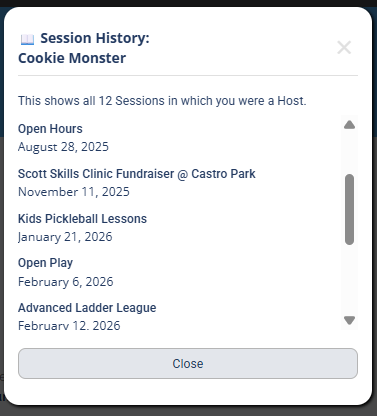
The Session History popup, listing every session of yours that player attended.
Viewing session history requires being logged in to your DailyPB account.
Why am I only shown sessions I hosted?
Why can I only see sessions I hosted? Why don't I see all of a player's sessions? Why is the history limited? Can I see a player's full history across all hosts?
This restriction protects player privacy: you only see the sessions where you were the host, not a player's full activity across DailyPB.