How to Change Your Statement Descriptor
Your statement descriptor is the short piece of text your players see on their bank or credit card statement when they pay for one of your sessions. It's the single biggest factor in whether a player recognizes a charge or disputes it.
This is the whole reason to set your descriptor. If it's some generic business name with no mention of DailyPB.com and no mention of pickleball, a player scanning their statement won't connect the charge to the session they signed up for. They assume it's fraud and file a dispute. Each dispute costs you $15 to $30 on top of refunding the whole charge, even though the payment was legitimate.
The rule is simple: your descriptor must contain DailyPB.com or, at minimum, the word pickleball. Any of these are fine:
- DAILYPB.COM
- your business name, as long as it includes the word pickleball (for example ALBANY PICKLEBALL)
- pickleball plus your club or company name
- DAILYPB.COM plus your pickleball name
The only descriptor that gets you in trouble is one with neither DailyPB.com nor pickleball in it.
You change the descriptor inside your own Stripe Express dashboard, which you reach from DailyPB. This guide walks you through the whole path.
- You need an active Stripe account connected to DailyPB (the same one that receives your session payments).
- You're changing the descriptor for your own account. Each host manages their own descriptor.
- The change applies to future charges. It does not rewrite how past charges already appear.
If you haven't connected Stripe yet, start with Automatic Payments first, then come back here.
Opening Your Stripe Dashboard from DailyPB
What is a statement descriptor? What is the statement descriptor? How do I stop players from disputing my charges? Why are players disputing charges they signed up for? Why don't players recognize my charge? What should my statement descriptor say? Does my descriptor need to say pickleball? Is DailyPB.com a good statement descriptor? How do I get to my Stripe account from DailyPB? Where is my Stripe dashboard? How do I open Stripe Express? How do I find my payment settings? Where do I manage my Stripe account? How do I log in to Stripe from DailyPB? Where is the Stripe Account Dashboard button?
Your statement descriptor lives in Stripe, not in DailyPB. First you'll open your Stripe Express dashboard.
1 Open Your Profile and Go to Monetization
In the top-right corner of DailyPB, click your profile icon. In the panel that opens, scroll down and click Monetization to expand it.
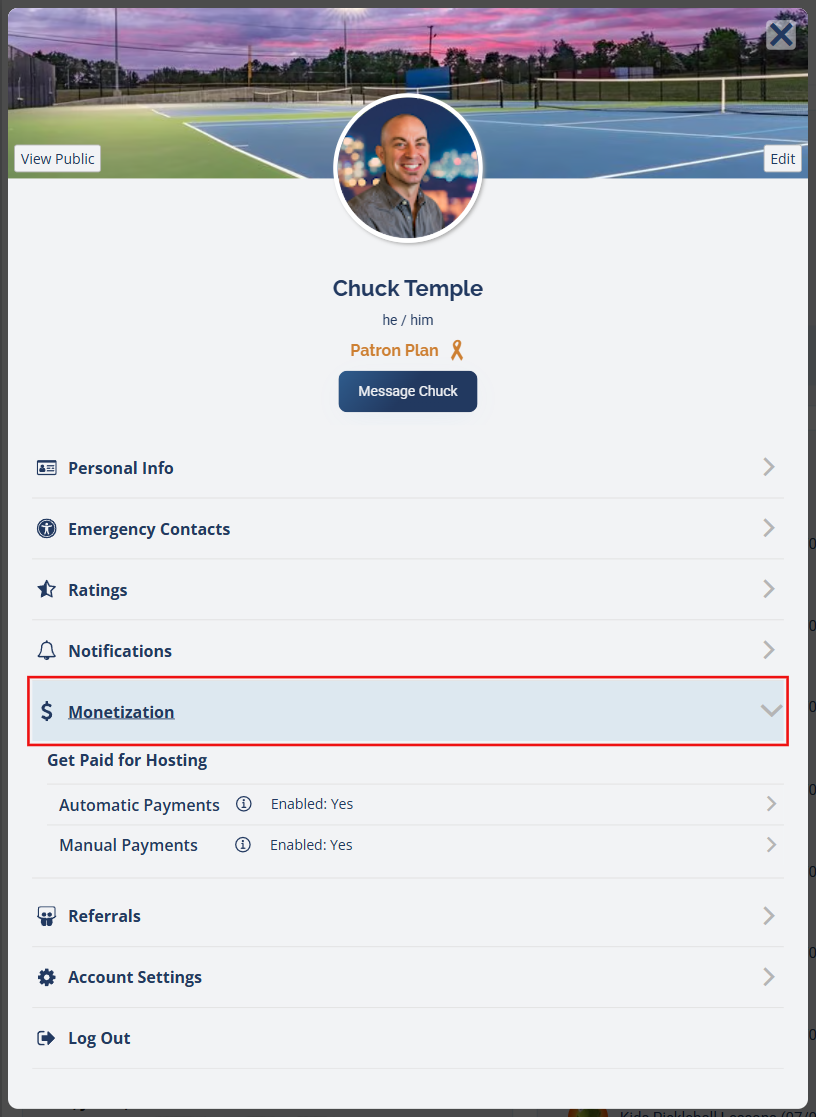
Open your profile, then click Monetization to expand it.
2 Click "Stripe Account Dashboard"
Under Get Paid for Hosting, expand Automatic Payments. Click the Stripe Account Dashboard button to open your Stripe Express dashboard in a new tab.
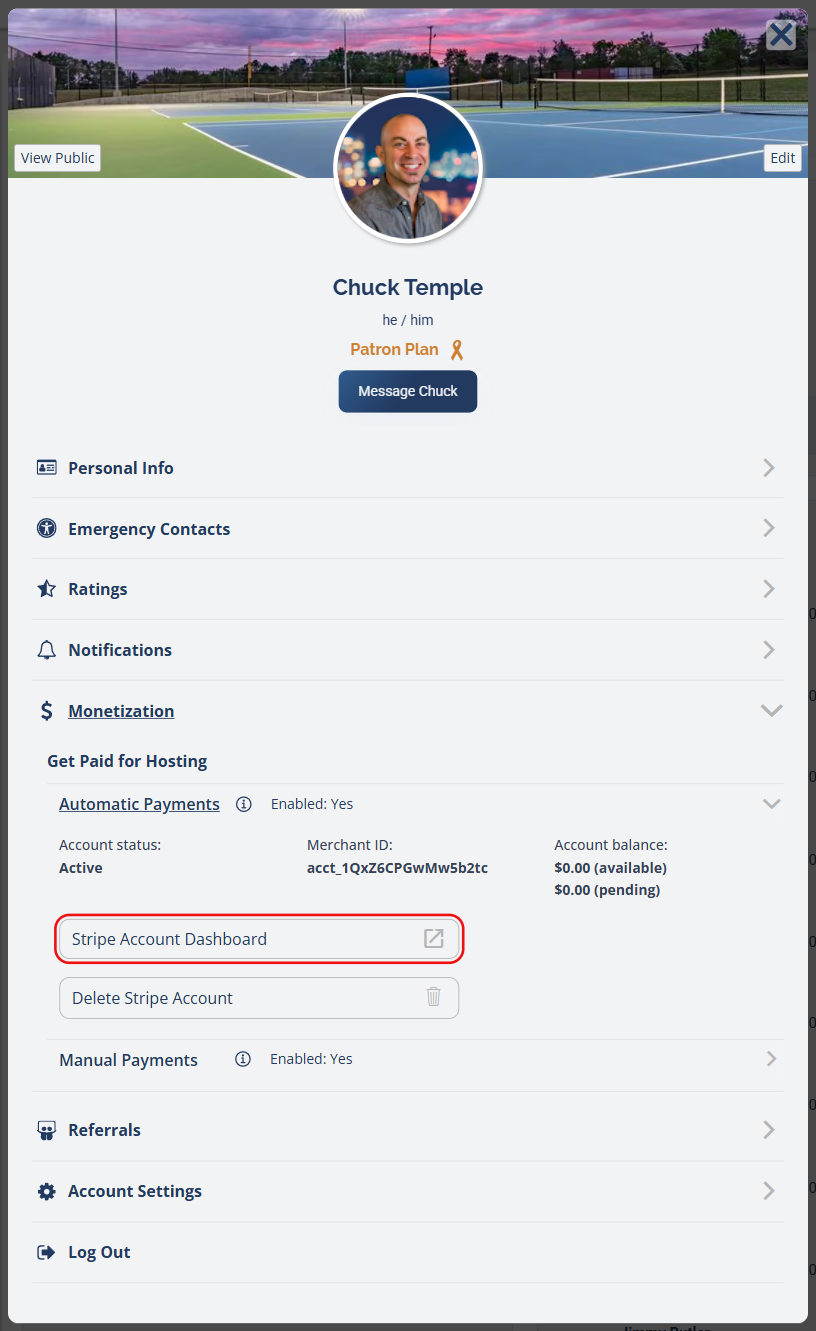
Click Stripe Account Dashboard to open your Stripe Express account in a new tab.
Changing the Descriptor in Stripe
How do I change what shows up on my customer's bank statement? How do I edit my statement descriptor? How do I change the name on charges? How do I change how my charge appears? Where is the statement descriptor in Stripe? How do I change my billing descriptor? How do I edit Public details in Stripe? What is a shortened descriptor? How many characters can my statement descriptor be?
Once you're in your Stripe Express dashboard, the descriptor lives under your account settings.
3 Open Settings
In your Stripe Express dashboard, click Settings in the bottom-left corner.
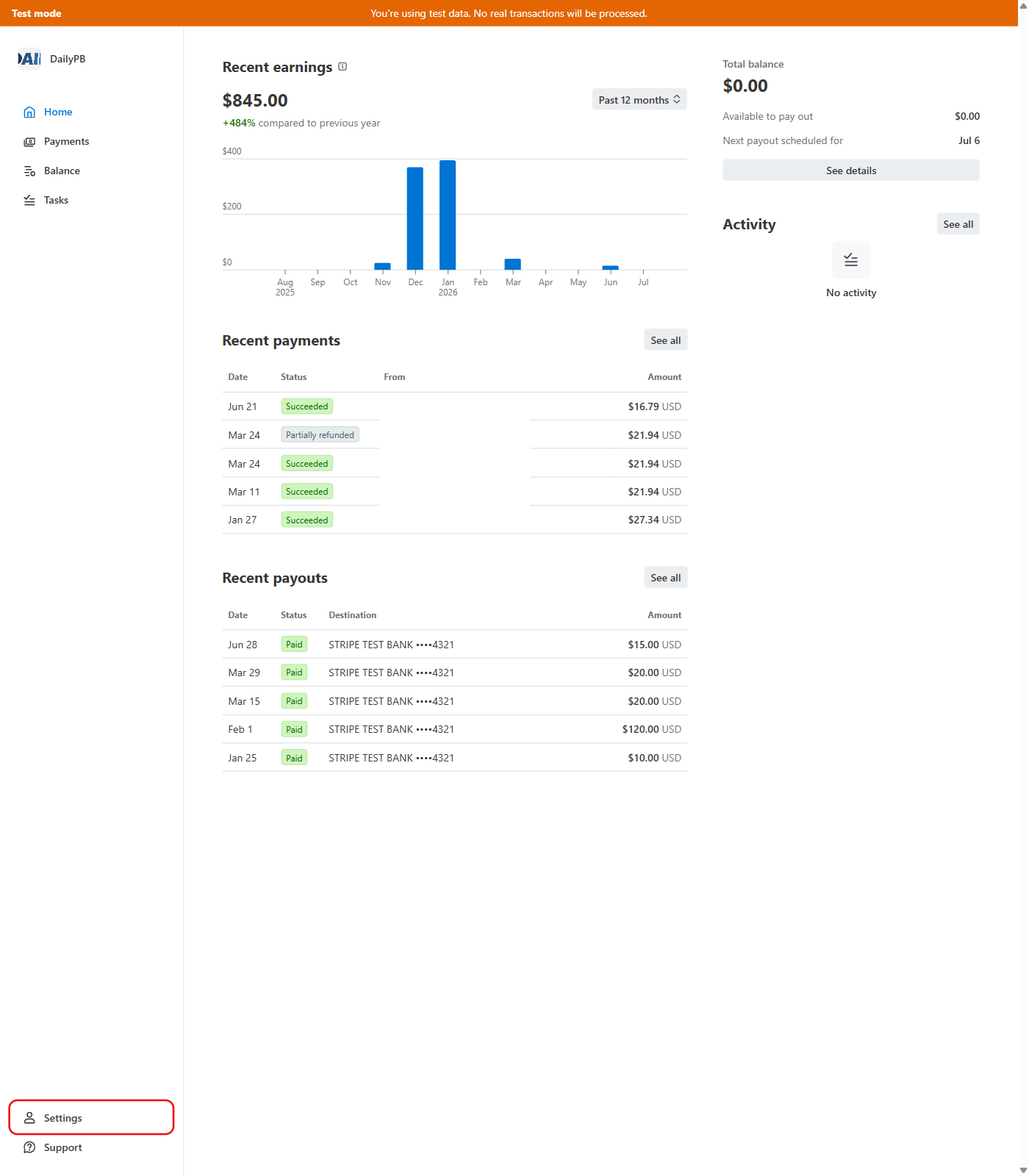
Click Settings at the bottom-left of your Stripe dashboard.
4 Find "Statement descriptor" under Public Details
Scroll down to the Public details section. You'll see your current Statement descriptor. Click the Edit button on the right of that row.

The Statement descriptor sits under Public details. Click Edit to change it.
5 Edit and Save
A panel opens where you can update two fields:
- Statement descriptor — the main text players see on their statement. Make sure it contains DailyPB.com or the word pickleball (ideally a name players recognize, like ALBANY PICKLEBALL or DAILYPB.COM). A descriptor with neither is what causes disputes.
- Shortened descriptor (optional) — a shorter version Stripe uses when it appends extra text to a charge, like the
* [PRODUCT]you can see in the live preview. If you leave it blank, Stripe fills it in automatically from your main descriptor. Keep a pickleball cue here too if it fits (for example PBALL or PB CLUB).
As you type, Stripe shows a live preview of how the charge will appear. When you're happy with it, click Save.
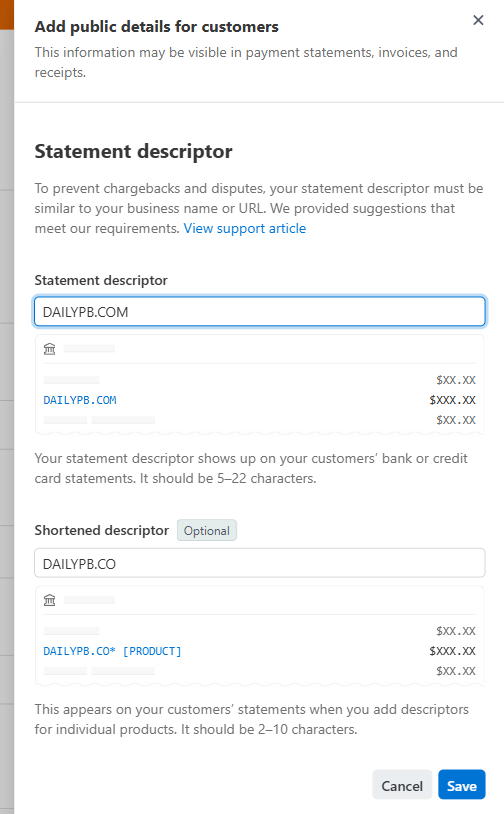
Edit the descriptor, watch the live preview, then click Save.
- The full descriptor must be between 5 and 22 characters.
- The shortened descriptor must be between 2 and 10 characters.
- Use only standard letters and numbers. These symbols aren't allowed:
< > \ ' " * - Within those limits, make sure it contains DailyPB.com or the word pickleball. That recognition is what prevents disputes.
- Heads up: when you change the main descriptor, Stripe re-generates the shortened descriptor from the new text. If you'd customized the shortened one, re-check it after saving and re-enter it if needed.
FAQ
Why does my charge show a weird name? Why don't my players recognize the charge? Will changing my descriptor fix a dispute? Does the new descriptor apply to old charges? How long until the new descriptor takes effect? Can DailyPB change my statement descriptor for me? Who can edit the statement descriptor?
What is a statement descriptor, in plain terms? It's the text a player sees on their bank or credit card statement next to the amount they paid. When it contains DailyPB.com or pickleball, players connect the charge to the session they signed up for and are far less likely to dispute it.
What causes the disputes? A descriptor with no mention of DailyPB.com and no mention of pickleball. A player who paid for a session weeks ago scans their statement, sees a random business name they don't recognize, assumes it's fraud, and disputes it. Each dispute costs you $15 to $30 on top of refunding the whole charge, even though the payment was real. Putting DailyPB.com or pickleball in the descriptor is what stops this.
Is DAILYPB.COM a good descriptor? Yes. DAILYPB.COM on its own is fine, because players recognize it. The problem is only the descriptors that have neither DailyPB.com nor pickleball in them.
Does the new descriptor change how past charges appear? No. The change applies to charges made after you save it. Charges that already went through keep the descriptor that was in place at the time.
Can DailyPB change the descriptor for me? The descriptor lives in your own Stripe account, so you change it yourself using the steps above. If you're stuck, reach out and we can point you to the right spot.
Why can't I recognize a charge as a player? If you're a player rather than a host, the descriptor is set by whoever ran the session (the host) in their Stripe account. Contact the host if a charge is unclear.