Finding Your Sessions
Want to see everything you're signed up for in one place? DailyPB gives you two ways to find your sessions: My Sessions on the Home page, a quick weekly list that everyone can use, and My Calendar, a full calendar view for Patrons.
My Sessions (available to everyone)
How do I see what sessions I'm signed up for? Where do I find my sessions? How do I see the sessions I'm attending this week? Where are the sessions I'm hosting? How do I see my pickleball schedule? Where is My Sessions on DailyPB? How do I see everything I've signed up for?
Every DailyPB account has a My Sessions list right on the Home page, just below the weekly calendar. It shows every session you're hosting or attending, laid out as cards you can scroll through, so you can check your week at a glance without any extra setup.
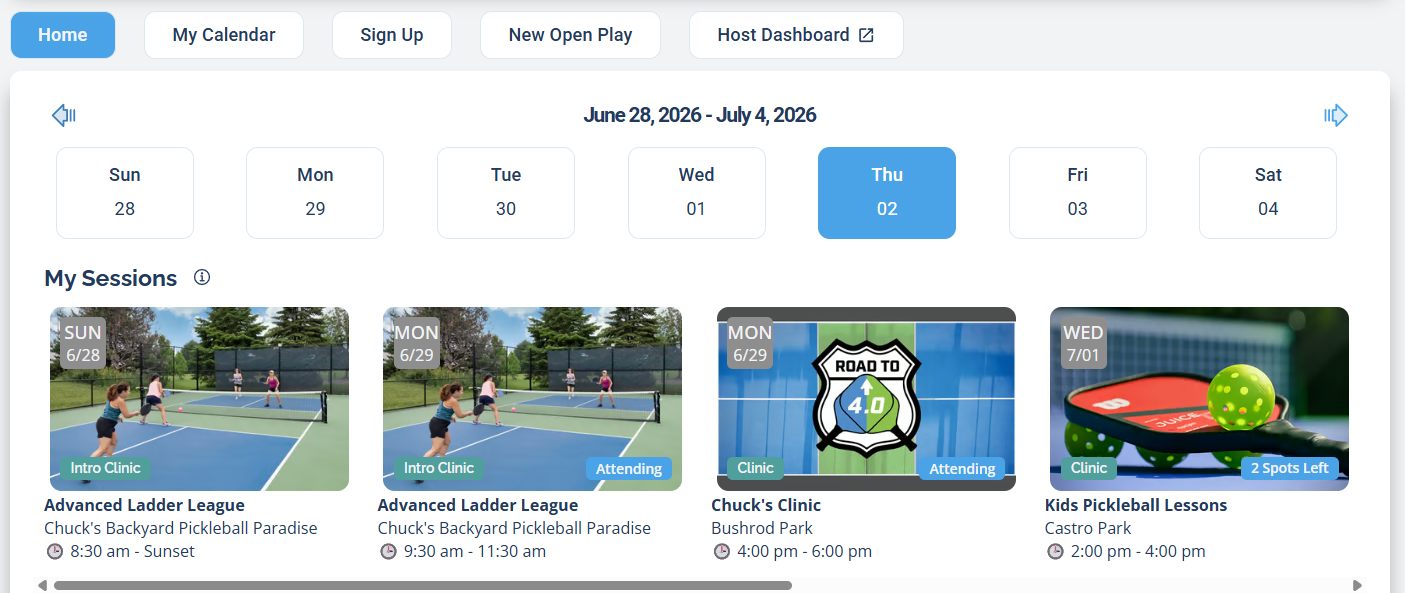
My Sessions on the Home page: pick a day at the top, then scroll the cards to see everything you're hosting or attending that week.
To use it:
- Open the Home page (it's the first tab when you log in).
- Use the day buttons at the top to move across the week, or the arrows to jump to the next or previous week.
- Scroll the My Sessions row sideways to see each session you're part of. Every card shows the day, the session name, the venue, and the time, and whether you're Attending or Hosting.
My Sessions is a list view, not a calendar. It's the fastest way to see what's coming up this week. For a month-at-a-glance calendar of everything you're involved in, use My Calendar below.
My Calendar (a Patron feature)
What is My Calendar on DailyPB? How do I see all my sessions in a calendar? Where do I see my pickleball schedule by month? Does My Calendar show waitlisted sessions? Does it show sessions I host? How do I see everything I'm signed up for in one calendar?
My Calendar gathers every session you're involved in into a single calendar, so you can see your whole pickleball schedule by month, week, or day.
My Calendar is available to Patron or higher tier levels. Not a Patron yet? See What is a Patron? to learn what's included and how to join.
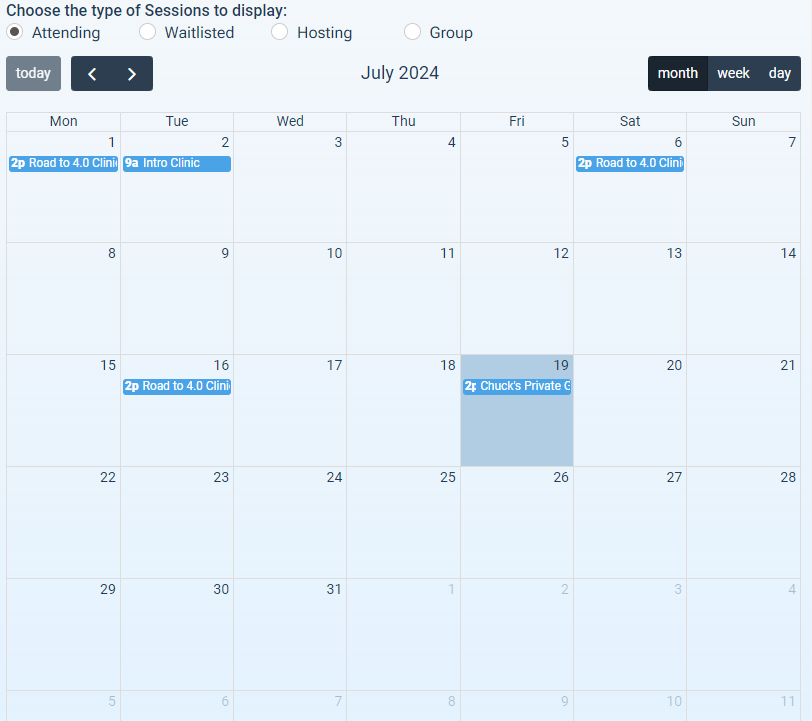
My Calendar gathers your whole schedule into one view, filtered by Attending, Waitlisted, Hosting, or Group.
My Calendar combines, in one place:
- All sessions you are attending
- All sessions you are on the waitlist for
- All sessions under an event where you are a Host
- All sessions with Group Privacy where you are a Group Member
- All sessions with Group Privacy where you are a Group Admin
All of these combined views include an unlimited date range.
To use it, open the My Calendar tab. At the top, choose the type of sessions to display: Attending, Waitlisted, Hosting, or Group. Use the month, week, and day buttons to change the view, the today button to jump back to the current date, and the arrows to move between dates.