Signup Notifications
You control whether you get a confirmation email when you sign up for a session, using the Send me a confirmation email when I sign up for a session toggle in your notification settings. It's on by default, and you can turn it off.
Why did I get a signup email after turning notifications off?
Why did I get a signup email even though I turned notifications off? How do I turn off signup confirmation emails? How do I stop getting signup emails? Why am I getting signup emails I didn't ask for? Will I get an email when I sign up for a session? Do I get notified when I join a waitlist?
Even with the toggle off, two things will still send you an email:
- The host uses a custom signup email template (they have something they want to send you).
- Someone else signs you up (another player adds you, or you're added as a guest).
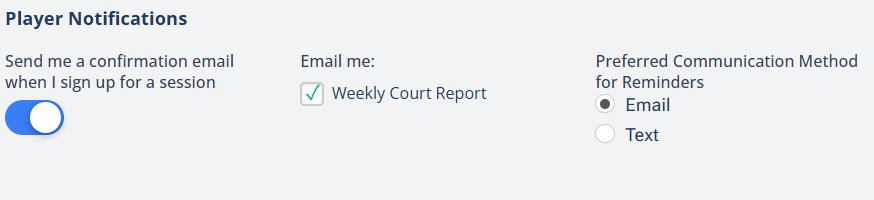
The signup confirmation toggle is on by default. Turn it off to stop confirmations when you sign yourself up.
⚙️ Where to find this
Click the profile icon in the top-right corner, then click Notifications.